

Your fridge isn’t cooling your stuff, that’s so… not cool!
Fridges! Warm beverages and empty fridges: Don’t do it!
“My refrigerator isn’t working.” 9 times out of 10 this message comes in when someone arrives with a bunch of food, especially WARM/HOT beverages and loads up the refrigerator. Not only will it take a REALLY long time, like overnight or longer, it will likely cause the fridge to condensate inside and potentially outside. Refrigerators simply are not designed to work going from empty to a large amount of warm products and to cool those products takes lots of time as there is a lot of mass to cool down and none already in the fridge to help hold the cold. Normally, at home, you have all the other already cold stuff that retains a temperature and “helps” the new stuff cool down. Not so when empty. This also means that if you put some milk, eggs, and lunchmeat (perhaps already cool) but with a lot of hot beverages then they may very well not be kept at at a good temp too until everything is cooled down.
Key takeaway?! If you are bringing beverages, buy them cold if you can, or put them on ice in a cooler for that first day or so.
Worth noting: this should NOT affect the freezer except in extreme cases, so your freezer portion should work regardless of what kind of crazy you have going in the fridge (unless of course you stuck a lot of hot beverages in the freezer….); however, if you fill the entire fridge with warm beverages, its entirely possible, since most fridges circulate air from freezer to fridge compartments, that the freezer could get warmer than its set to since it is working super hard trying to cool all those warm beverages….
If on the other hand, you put cold stuff in and its not staying cool. The freezer isn’t working at all (not feeling cold). The lights don’t come on in either compartment. You don’t hear fans or compressors. Reach out so we can get someone out asap!
Stay frosty my friends!
Ah, still with me? Maybe want a little more, or not quite sure about this whole warm beverages thing taking a LONG time… well… here’s some more. 🙂
https://www.houfy.com/kristen-davemaxfield/posts/cooling-your-food-drinks-in-an-empty-refrigerator-15119
How to fix a jammed garbage disposal? A yucky stew in the sink, or a backed up dishwasher, not cool. But you can fix it yourself in most cases.
If your disposal is clogged and you have a dishwasher, do not run the dishwasher. The dishwasher drains through the sink plumbing (this is true in all houses), and if you run it with a clogged sink, you will get water backing up into the sink and probably straight out of the dishwasher onto your floor. You have been warned…. Now, on to the disposal!
We are happy tp send out maintenance, though that can take some time, and we are sure you’d love to get things going (down the drain) fast, so we wanted to make a few suggestions that you can try to fix the problem yourself. In most cases, a disposal that won’t run is a simple fix.
Clog or disposal issue?
Normal grinding noises, but water won’t drain? You have a clog!
If you turn on the disposal, can you hear it whirling around, and see the water being disturbed by the blades, but the water isn’t going down? You have a clog! You may also have both a jammed disposal and a clog. I’d fix the disposal first because if you get it running, then it might just clear the drainage issue all by itself (see troubleshooting steps below for humming/no humming).
Humming or no humming?
No Humming
- There is a reset button, usually red. On the side or the bottom. Check it and push it. Turn back on.
- No humming and reset didn’t work? Check fuse box. If flipped, put back. Try again. No luck. Check reset now.
If either of these make it hum (even for a short period of time), move on to humming. This is progress. It means something is causing it to trip, and that something is probably a jam.
Humming, no grinding? It’s jammed.
Remove what is jammed in it
Could be something big. Who knows what might have slipped in there. If it is jammed make sure the switch is off before you put anything in the opening. Remove any debris from inside the disposal. You may need to use tongs or pliers — again be sure its off! — to remove whatever is inside the disposal (which is off, right? Seriously…not just not working, I mean off at the switch, you don’t want to lose a couple digits, right?). If there is something solid in there, that won’t grind (like plastic, metal, glass), will just tear it up and keep jamming it, so we have to get anything like that out first.
Dislodge with a hex wrench
Under the sink, look at the bottom of the disposal for a hex-shaped hole. If you see one, find a 1/4-inch hex wrench that fits the hole (often there is one attached to the disposal). Fit the hex wrench into the hole, and force it back and forth in both directions a few times to free the impellers. You may not be able to move it, if not, go back to the broom handle because you can get more torque by twisting it around inside.
Dislodge with a switch
Some models actually have a switch to reverse the direction of the blades to unstick whatever’s stuck. Most do not, but if you see a switch, it’s either power (check that!) or a reverse (try that too).
Dislodge with a stick: Try a wooden broom handle or large sturdy wooden spoon
Take the end of a wooden broom handle or spoon, put it in the drain, and move it to dislodge whatever is in the disposal. If doing this, you may have to put some weight into it. Run the water and try the switch again.
You should be able to crank the broom handle hard enough to manually make the bottom of the disposal turn. Wiggle it back and forthBe sure you don’t have the spoon or broom handle or your hand in it when turning back on. Give it another shot. Any progress?
Again, if it is humming, it is jammed, so keep at it. If it isn’t humming, its tripped at the reset or the fuse (it’s not getting power!), OR its dead. The only thing you can’t fix is dead….
Still no luck? Don’t run the dishwasher… and submit a maintenance request
If after trying the above steps, you still cannot unclog the disposal, call the office. Do not run your dishwasher while your disposal is clogged, as it may cause the dishwasher to back up and flood. You can text or email anytime!
Some other useful FAQs from around the web
Got a stinky sink? Sounds like a machine gun is rat a tat tatting? Check these out from Insinkerator, one of the leading disposal manufacturers.
This next video covers some basics, and shows you how to remove the disposal if you really want to get into it, but that’s pretty advanced and you can make a heck of a mess if the sink is full of stuff.
This one has some sketchy production values, but is pretty extensive.
How do I lock the storm secure doors with multipoint locks?
“The balcony door won’t lock, its broken, please fix it.”
Happy to help! 9 out of 10 times the door and its locking mechanism are NOT broken but they can be confusing if you have never used one (or never used a “French” type door–which work the same way.
Read on, or watch the video for an example.
Many of our non-slider balcony doors are Anderson doors with multipoint locking assemblies and have features that make them more secure if there is a storm.
Specifically, they that posts that extend into the top and/or bottom of the door frame, making it less likely the door will blow in under high winds and similar situations.
However, these doors will NOT lock until you engage those posts.
So, how do you do that? Easy (usually):
1. Pull handle UP
You extend the posts by puling up reasonably hard on the handle. The handle should go up about 3/4 or more. If it is not, then you may have to wiggle the door forward or backward a bit. You can see how it works by doing it with the door open. The little posts have to extend into the hole(s) in the door frame. This secures the door in place.
2. Turn the knob
Most of these doors also have a deadbolt/twist knob. AFTER the posts are engaged, you can turn the knob. For most of the doors, the lock will NOT turn until you engage the posts (by pulling up and getting them into the hole(s)). This is what trips most people up: they go to the door, want to lock it, and can’t turn the knob. OH NO! Its broken. Nope… just missed step one!
Like French Doors–so if you happen to have a french door at home, these work almost exactly like 1 or 2 door french doors where you have to pull up first to secure, then lock them.
Here’s a video on one of our doors to show how it works. Pics coming soon!
How long does a refund take?
5-7 Business days, potentially longer depending on your bank.
If for some reason we need to issue a refund of something to your card, here’s what will happen.
You will receive an email confirmation almost immediately.
Our bank and merchant processor will handle the refund, usually within 24 hours.
YOUR bank then has to actually give it to you, which can take as long as 5-7 days and in some cases even longer. We have NO control over this.
Bonus Issue: Refund shows up as Pending then Disappears
Your bank MAY sometimes show the refund as pending in your online account. Then it will disappear. WE HAVE NOT CANCELLED IT. They will eventually apply it. If you call them, they may say they don’t see it–front line folks do not know how to look it up at most banks. We do not know why some banks, especially American Express, do this thing where they show it as pending, then it disappears, then shows up later as permanent. We suspect it shows up as pending when it first happens, then that goes away when the bank gets the money, but they don’t apply the funds until whatever there ruleset is for cardholders and their risk profiles. We don’t have any control over this but have never had a situation where it shows up as pending and then disappears but never shows back up.
If you really want us to, we can look up a number called an ARN and you can give that to your back to confirm it. But really just don’t be antsy. In olden days, you would have waited til the end of the month, gotten the statement and it would have all cleared.
Yes, we have had a few people ask about all this and out bank and merchant service provided said, in no uncertain terms, that if we show it as issued and settled, it is held up at the cardholders bank:
Per our merchant processing bank:
Refunds typically take 7-10 business days (in rare cases they can take up to 30). If someone is particularly worried, then we can look up and provide the ARN number (Acquirer Reference Number) for the transaction. The cardholder can provide the ARN to their card issuer showing that the funds were sent to them. It’s up to the issuing bank in terms of when the returned funds are made available to the cardholder. I should mentioned that not all banks front-line customer service personnel will know what the ARN is and the cardholder may become frustrated or possibly get an incorrect initial answer from them, but rest assured it is in process and is at their bank.
How Do I send Use Airplay, Cast, or X with your Roku TVs?
Aka How to Show a Video stream on our Roku-based Smart TVs from your devices?
We have nice Roku-Based Smart TVs. One of the cool features of these, besides being able to login to almost any of your own services during your stay, is that, in a pinch, you can almost always show something from your device on the TVs.
This ability to AirPlay or Screen Mirror a video is super helpful sometimes. For example, my family was in a home like the ones you are in, and it had a Roku TV instead of old-school cable/satellite. We used a lot of our own services but… we could not install a sports app and wanted to watch a soccer game. In comes AirPlay. With AirPlay, we got the video up and running on my iPhone, then pushed it to the TV, where we could watch it and even control the video with the Roku remote! Pretty cool.
How? That depends on the type of device you are using. Note it has to be new enough to be compatible. Let’s look at the big 3: AirPlay, Android, and Windows.
RokuTV and AirPlay and Apple Devices
Is my Apple device compatible?
The Apple devices below support streaming audio and video with AirPlay 2.
- iPhone, iPad, or iPod touch with iOS 12.3 or later
- Mac with macOS Mojave 10.14.5 or later
If you need more information, visit the Apple support website.
How do I use AirPlay to view videos, music, and photos on my TV?
Before you can use AirPlay with your Roku device, check that your Apple device and Roku device are on the same wireless network. Once they are, you can use the steps below to view content on your TV using AirPlay.
- On your Apple device, find the video, song, photo, or podcast you wish to share.
- Tap or click the AirPlay video icon
 in video apps, or the AirPlay audio icon
  in music and other audio apps.
- Note: With some apps, you may need to tap or click the Share icon
 before you will see the AirPlay icon.
- Note: With some apps, you may need to tap or click the Share icon
- Select your Roku device from the AirPlay menu.
Once playback begins, you can pause, fast forward, and rewind from your iPhone, iPad, or Mac, or you can use your Roku remote. When you want to stop streaming with AirPlay, you can press Home  on your Roku remote.
Troubleshooting AirPlay and Roku? Check out Roku’s AirPlay page (ignore everything about HomeKit, and Fast Start TV, those are not relevant to AirPlay).
Roku TV and Android or Windows Devices
Roku has a page all about screen mirroring from Android and Windows devices. We won’t replicate it here as its really well done! And for going deep into the weeds: if you have a Pixel Phone (which is called out in the link as potentially an issue), here’s a deep dive into Google Pixel phones and ways to cast video to the RokuTVs.
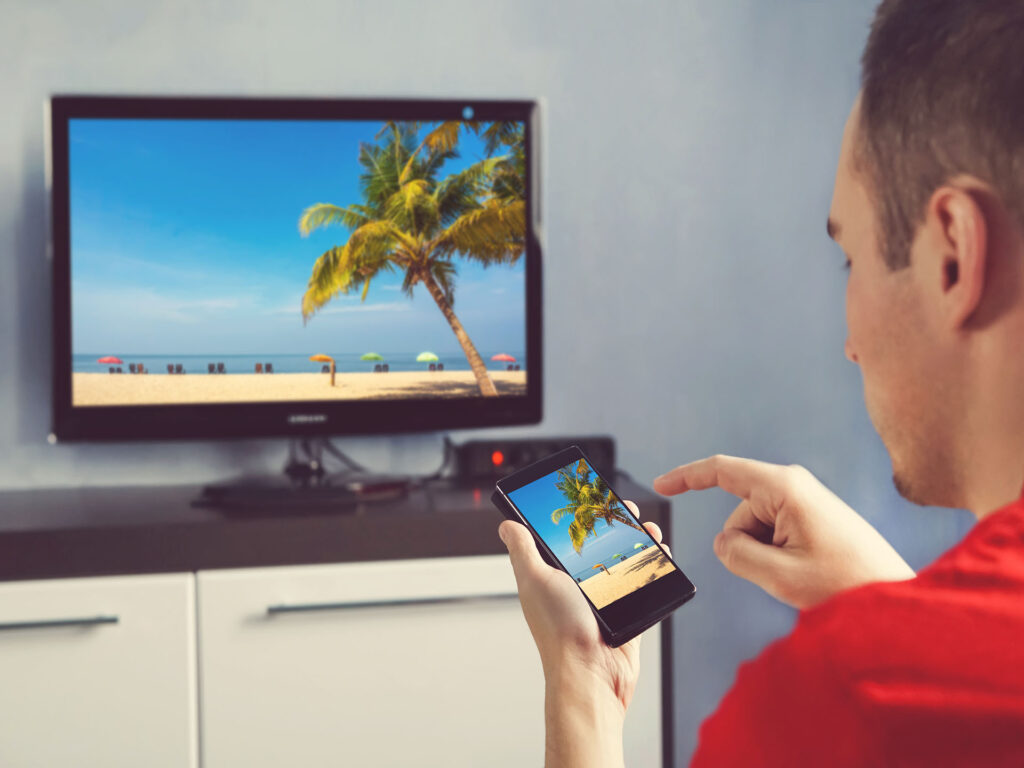
Apple, Android, Windows Screen Mirroring to RokuTV Smart TVs
Mice, Rats, Beach Homes… and the Alabama Beach Mouse
Unlike the occasional unwelcome insect (like the South’s state bird, the cockroach, or little black ants), which are pretty much unavoidable on occasion despite best efforts and practices, you should never see mice or other rodents inside beach homes, or any evidence of them!
We ask that you report any such sightings to us ASAP (along with any pictures, which can help!). We want to be on top of anything like that, and you should never assume that we, or prior guests, have seen what you have! Its always appreciated when people report things to us. We want to address any such sightings inside the homes immediately, for you, for other future guests, and for the well-being of the home!
Outside the Homes
That said, you may very well see mice, rats, or other rodents outside the homes, in the dunes, in and around trash. We want to know if you do see such things, and anything conducive to them (someone leaving trash strewn about). Although rodents are fairly common, there are often sometimes steps we can take to address them even outside the homes depending on where they are and the conditions that might be supporting them.
Unfortunately, what folks should NOT do… is bait with poison outside. That is because the Alabama Beach Mouse is a protected species that makes its home in the dunes and any efforts to poison other rodents can affect them too. More on this little cutey in a second… but it also is worth noting that in general rodent baits can harm other animals too, even when used in areas without other protected rodents! How? Rodents eat the poison. They do not die immediately. They wander off. Other animals, including gorgeous ones we care about like the Eagle (hey, Eagles’ nests are at Gulf State Park, check them out sometime!), other raptors, or predators like foxes….. they eat the rats that ate the poison and…. it harms them, potentially fatally!
The Alabama Beach Mouse
The Alabama Beach Mouse is a federally protected, endangered species. You won’t likely ever confuse this cute little reclusive (and very environmentally helpful) fellow with his bigger relatives like the Norway Rat (or even the native rats) but you may get a sighting from time to time, and its important to know what they are, that they are protected, and fun to see if you spot one, or a colony!
Here’s a fun article about the AMB in the Gulf Shores and Orange Beach area. Cute pics too!
You may also occasionally see a fox, coyote, and more. Welcome to the wild side!

The Alabama Beach Mouse, a protected species that lives in the dunes in the Gulf Shores area. Image Courtesy of USFWS, Public Domain.
Unexpected ‘Visitors’: Pest Control and Pests During Your Stay
All Our Homes have Regular Professional Preventative Pest Control
No one loves finding a bug!
That’s why we have quarterly pest control treatments done by a third-party professional pest control company. We try our best to schedule these appointments in between guests but sometimes due to circumstances outside of our control, they will be present during your stay. We do not always get a heads up for any outdoor services, but they will never enter the home. In the event that pest control needs to get inside, we will notify prior and will reschedule if it conflicts with your schedule.
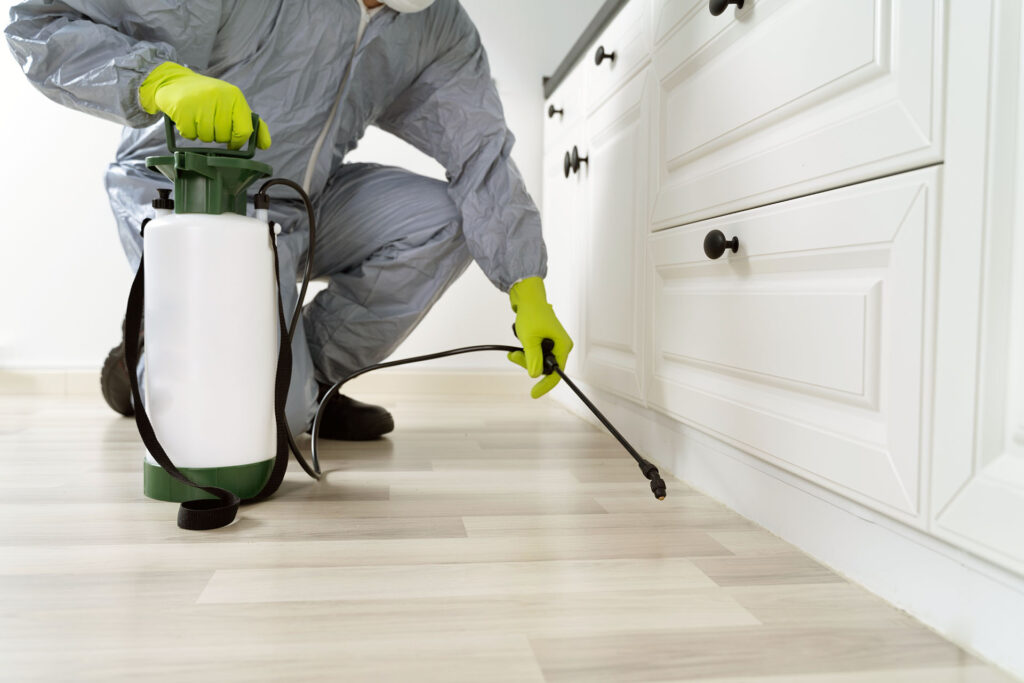
All our beach vacation rentals have professional quarterly pest prevention treatments
Despite Prevention, You May Still Have Unwanted ‘Visitors’
As noted above, all our homes are on a regular spray schedule with a professional pest control company for quarterly preventative pest control to try to avoid any unwanted ‘visitors’ during your stay.
The South, however, is known for Palmetto Bugs (aka cockroaches), especially in areas along the beach. Some folks even refer to them as the ‘State Bird’ because of how prevalent they are. Little black ants are the other primary unexpected visitor. Also… totally different ‘pests,’ which you should NEVER see evidence of inside the homes (report it to us immediately please!), but may very well see outside… are rodents.
Despite our best efforts, we cannot eliminate their entry entirely: they can and will still come inside, like they can anywhere else, and take a day or two to die after crossing the chemical barriers.
The likelihood of this happening is exacerbated by changes in weather and seasons, and especially if the ground gets saturated and sends them, or the other main culprit: little black ants, seeking higher ground.
If there is a bug seen on its back, or looks like its ‘expiring,’ that means the treatment is working! Unfortunately, we cannot control when and where these bugs ‘pass on’ but know that being on their back is a good sign!
Possible Spot Treatment
In the case of one or even a few of these over a stay in a large home, it usually does not make sense to send the pest control company for a spot treatment. We, and they, are however happy to do a spot treatment, but its adding chemicals to the environment when in fact the barriers are likely working: again, chemical barriers do not completely prevent bugs. Instead they reduce entry (through aversion) and they kill the pests after they cross the barrier (usually in 24-48 hours).
That said… we would expect only an occasional sighting, somewhat more with weather changes and heavy rains, and we would expect them to be isolated and dead or dying…
So, if you are seeing several, and they are healthy and scurrying about, that’s a good indication that we need to have the pest control folks come out and do a spot treatment to do the best we can to avoid these unwelcome visitors!
How can we help?
Even though Palmetto Bugs, Little Black Ants, and more are normal to folks in the South, we know that they are unpleasant to guests. We apologize if they are seen during your stay.
Please let us know what you encounter and how we can help! A picture is always helpful too!
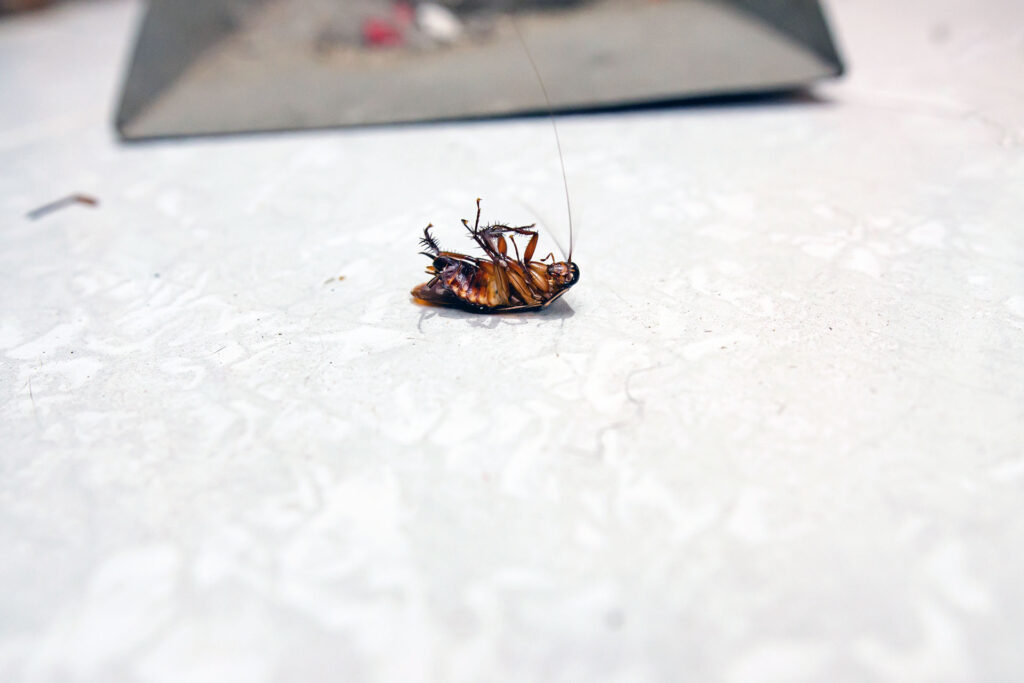
The occasional dead bug is unavoidable. But a dead bug is a good sign that the prevention barriers are working!
Gulf & Golf at the Plantation Beach Access and Select Amenities
Gulf & Golf at the Plantation is a wonderful, beachfront, 2x5BR duplex (H413 A & B). Located in a fully stand alone duplex building, GG is beachfront, with nothing between you and the gulf but sand and dunes! NOTE, however, that those dunes are important, and protected, so to get TO the beach, you use a very handy, and easy to navigate, boardwalk that is conveniently located right off our cul de sac — exactly where the nearest pool is!
BEACH ACCESS
GG is protected by wonderful dunes, dunes that augment its beachfront gulf views, and which protect GG and the other homes from storm surge and more. To access the beach, there is a super convenient boardwalk. Please stay off the dunes so they can continue to do their job, protecting the homes, and offering up an environment for native flora and fauna to thrive!
POOLS
And where is the nearest pool? About 100 ft away, easily visible from the home, and an easy walk across the cul de sac. That’s your entry to the first (of many) pools, and the boardwalk too, and… just beyond that? Spa, volleyball, another pool, and so much more. See also the location for the INDOOR pool, on the map. You will need the key cards, located in the room. Two per unit. Failure to return will result in a $50 fee for replacement, per card.
OTHER STUFF (among many great resort amenities)
Head to the NW part of the resort for GOLF at Kiva Dunes, or to the NE for tennis courts. Or… try of the Sassy Bass Grill for some on site food too!
GRILLS! We don’t provide grills because there are grill right across the street. They are charcoal, and are first come first serve.
ARRIVAL, PARKING, and PARKING PASSES (HINT: Don’t Pay!)
PARKING! There is parking for 2 cars under each unit, for that unit, and additional parking in front of each side and to that sides ‘side’ — please only use the parking for the side you have rented…. be neighborly! You should be able to park between 4-6 cars on each side max, depending on your ‘stacking’ skills. There may be overflow in the lots in the resort if necessary.
NO PARKING FEE. Our homes are in the Cottages PUD. They are one of the few areas that do NOT require a parking fee upon entry. If they try to charge you, tell them you are in the cottages/homes area and a fee is not required. If you pay the fee, and see this afterward, you will have to work directly with them as we do not have a relationship with the guard/entry folks.
RESORT MAP:
Where is the beach, and community pool and dock, from On Golden Pond 3 and 5?
Staying at one of our great, super affordable, lagoon-side homes? On Golden Pond 3, the nice 2×3 bedroom duplex, or maybe the lagoonfront On Golden Pond 5? Awesome!
More awesome-r? There’s lots of great stuff in the community! What stuff? Community Pool! Community Fishing Pier/Dock! Even a little community lagoonfront beach. More? Yep. Easy access to the Gulf at the Gulf Shores 13th Street Public Beach access point. More more?! Yep! How about a very nice trail right outside our community that takes you the back way to Little Lagoon Pass park? You can get to that area without ever going on West Beach… and its boardwalk and pavement, so pretty smooth sailing… er, walkin’!
Where’s the community pool and dock for OGP 3 & 5?
The On Golden Pond community pool, small lagoon side beach, and dock are located… on the lagoon. You will take the small path that runs between the GREEN and LIGHT BLUE homes on the NORTHWEST side of the community cul de sac.
Where’s the beach?
OGP 3 & 5 have access to the small lagoon side beach by the community pool, and it is only a short walk of less than 1/4 mile to the beach the 13th street public beach (next to my Seafoam home!). These is a pedestrian cross walk to help you get across West Beach to that public beach too! PLUS there is a back trail from near our home to access all the fun and fishing at Calloway Bridge too!
Check out this Google Map for the details!
Where is Shells’ Beach Access?
Beach Access for Shells is ACROSS THE STREET at Wits End (1433 West Beach)
Wits End is the big blue duplex to the right, across West Beach, when facing West Beach Blvd (the Gulf) from Shells
The permanent easement for the EXCLUSIVE use of Shells guests is:
Located on the EAST (left) side of 1433 West Beach (Wits End). East as 1, 2, 3. 🙂
- Cross west beach blvd.
- Pass between the fence (which will be on your left when heading to the beach) and the Wits End home (which will be on your right)
- DO NOT use the neighboring driveway or go under the Wits End home. Please be careful of the dunes, and only use the path through them. Thank you!
Handy dandy Printable PDF of Shell’s Beach Access.
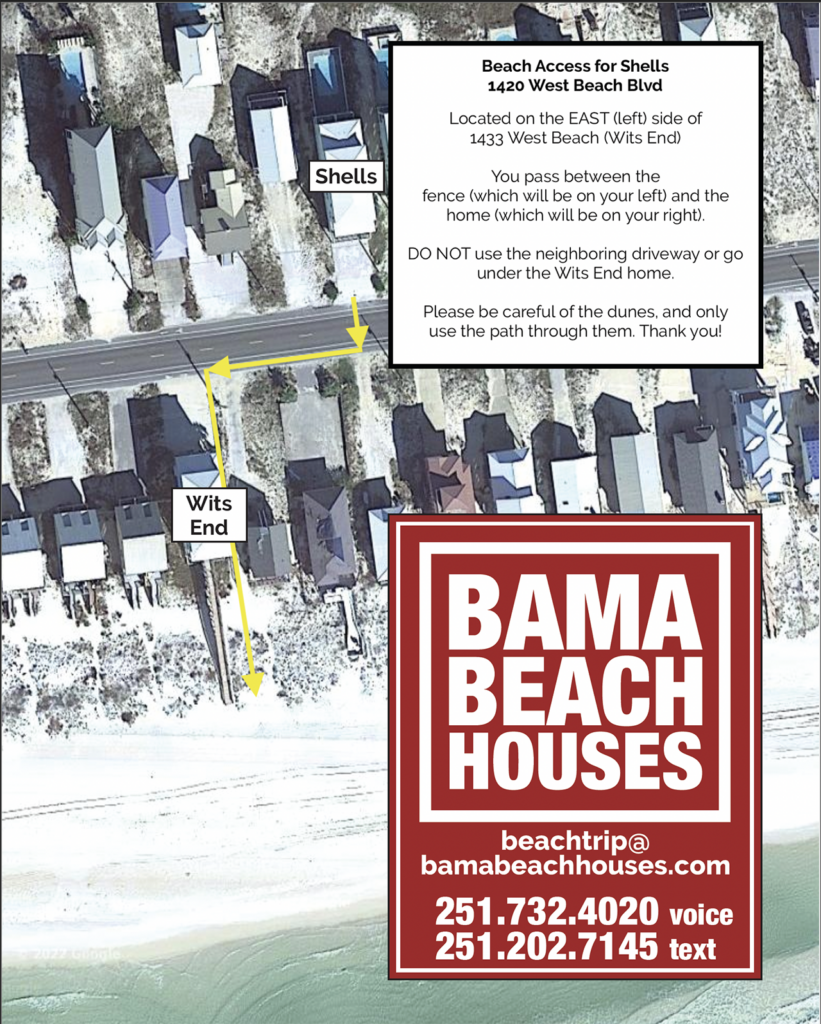
Or here’s a google map with walking directions too: